寸照
Download the installer: Quark netdisk
You can also scan the mini program code below with WeChat to open 寸照 directly.

Scan with WeChat to open the mini program
Applications, exams, and visas almost always ask for a digital ID photo. Plenty of websites can make one, but the picture has to be uploaded first. 寸照 is an offline desktop app based on the open source project HivisionIDPhotos. The current version is 0.1.0.
After you pick a size and import a photo, matting, single-face checks, cropping, and background changes all happen locally. Export PNG or JPEG. It does not install Python, does not need a discrete GPU, and does not send network requests. The photo never leaves the computer.

What it is for
The hard part of an ID photo is usually the specification, not taking the picture. One-inch and two-inch sizes are only the common cases. Exams, student records, social security cards, and visas each want different pixels, background colors, and file sizes.
寸照 keeps 201 common specifications in one list. Browse by category, or search by name and size.
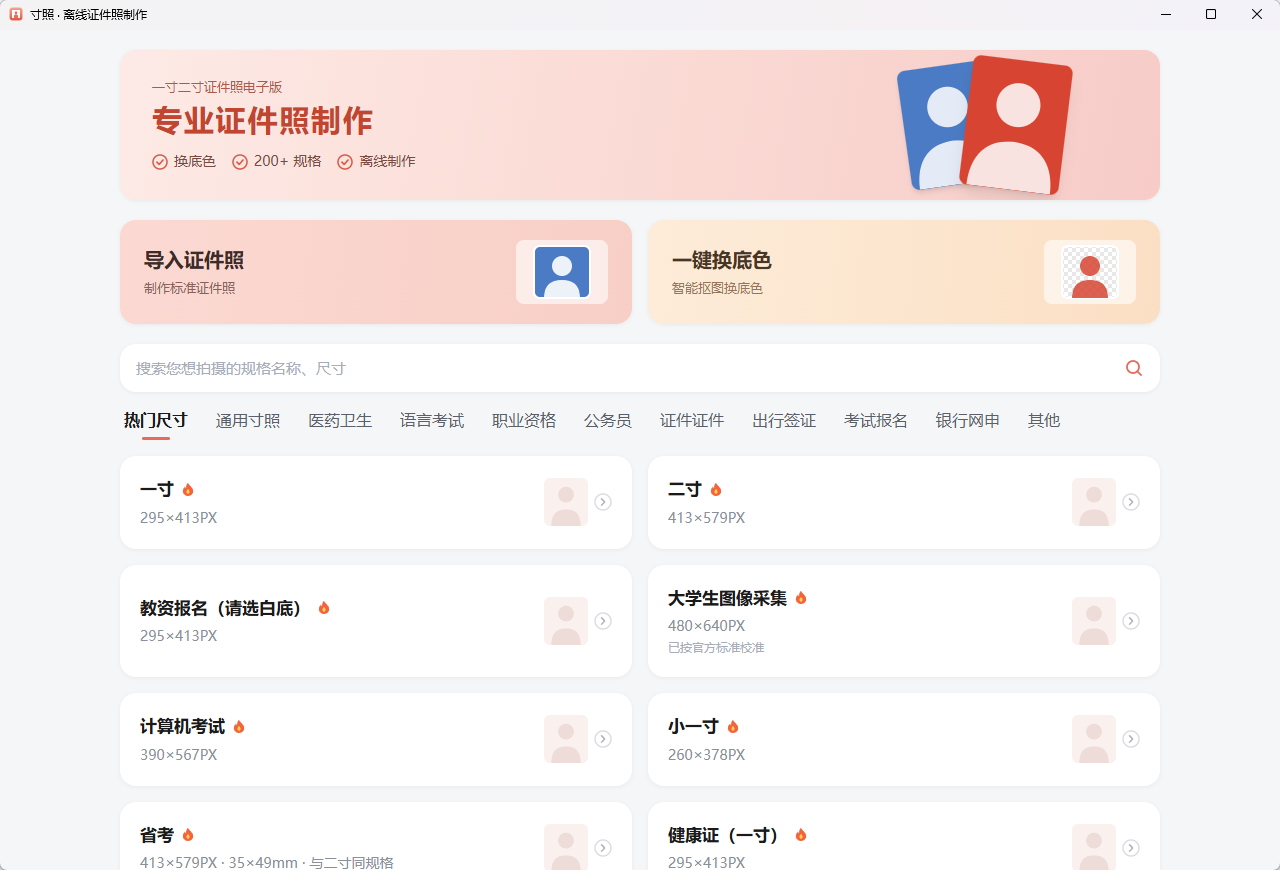
There are two screens: pick a specification, then review the result. No account, no orders, no camera capture, and no beauty filters or outfit changes. If an exam forbids retouching, follow the organizer's rules.
Two ways to use it
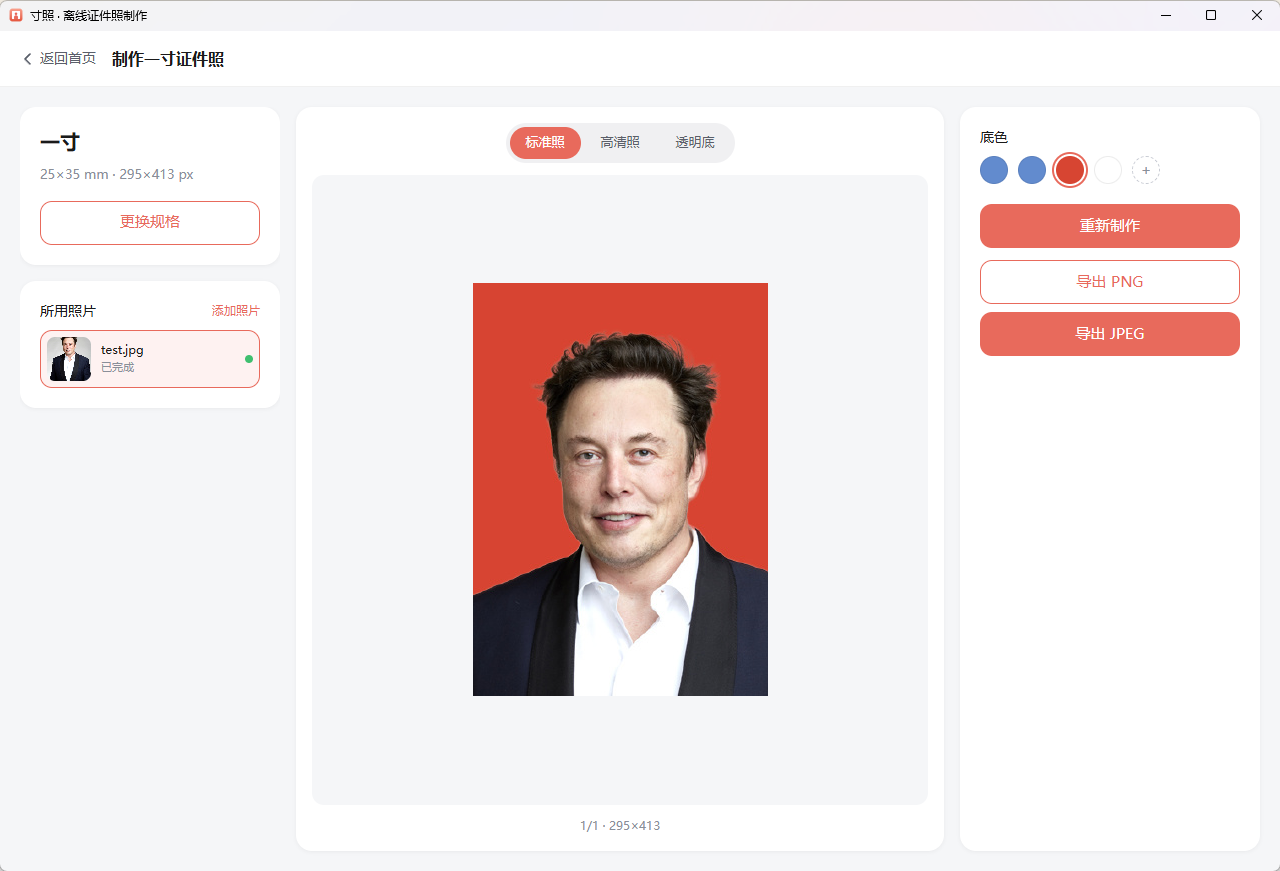
Import an ID photo: detect the face, then crop to the specification frame. This fits turning a portrait into a standard photo. The output is a standard photo, a high-resolution photo, and a transparent background.
Replace the background: matte and recolor only, without cropping to the frame. This fits a photo that is already composed and just has the wrong background color.
The editor shows the specification and original image on the left, a preview in the middle, and background color plus export on the right. Colors can come from the specification or from a HEX value you enter. Recoloring only composites again; it does not rerun inference.
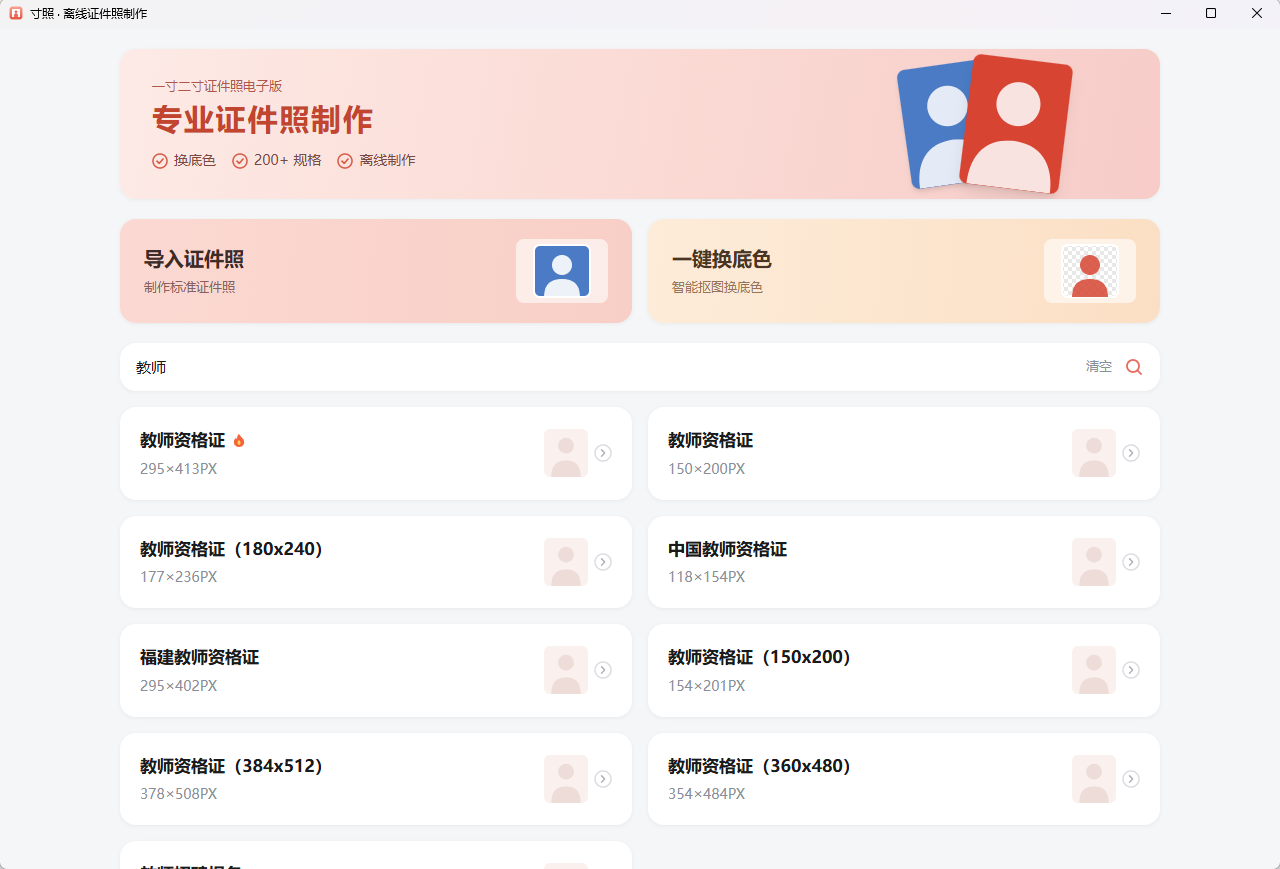
Search by name, pixels, or millimeters, for example "一寸", "295x413", or "教师". The same name can have several entries, so check the notes and dimensions before you choose.
Batch import is supported: select multiple files, or drop more PNG, JPEG, and WebP images onto the editor. Generation is serial. A photo with no face or too many faces is marked on its own and does not stop the rest.
How it works
The original HivisionIDPhotos pipeline is Python. This desktop app does not wrap Python. The hivision/creator/ path is rewritten in Rust, aligned with the original algorithm. The interface is Tauri 2 and React.
Inference uses ONNX Runtime CPU (1.28):
- MODNet for matting, followed by hole filling and an alpha-guided filter to soften hair edges
- RetinaFace for face detection. There must be exactly one face, otherwise it reports
NO_FACEorMULTI_FACE
IPC passes file paths only. On an M-series Mac, a roughly 576×768 image takes about 0.6 seconds end to end in a release build. A Windows machine without a discrete GPU usually produces a one-inch photo in 1 to 3 seconds.
When a specification sets a kilobyte limit, JPEG export starts at quality 95 and steps down until the file fits. PNG export writes the DPI.
Not included: a custom-size entry, GPU inference, beauty filters, rotation alignment, and print layout sheets.
Download and install
Source and notes are in the project repository. Download the installer from Quark netdisk, or from cun-zhao-package Releases.
| Platform | Notes |
|---|---|
| macOS 12+ (Apple Silicon) | .dmg, unsigned. On first launch, right-click and choose Open |
| Windows 10/11 x64 | NSIS installer for the current user. If SmartScreen warns, choose Run anyway. WebView2 is required (Windows 11 usually includes it) |
A 64-bit CPU, about 8GB of memory, and about 300MB of disk space are enough. No discrete GPU and no local Python install.
A good fit, and a poor one
A good fit: making one application photo on your own computer, changing the background, and exporting exact pixels without uploading the picture.
A poor fit: using it as a photo editor, running an ID photo studio, or applying to an exam that forbids any post-processing. The face needs to be clear, single, and front-facing.
The code is Apache-2.0. Face detection and matting stay local, and photos are not uploaded.
Development notes go on the WeChat account 程序员小袁.